Sign in to Your NSOCKS Proxy Account
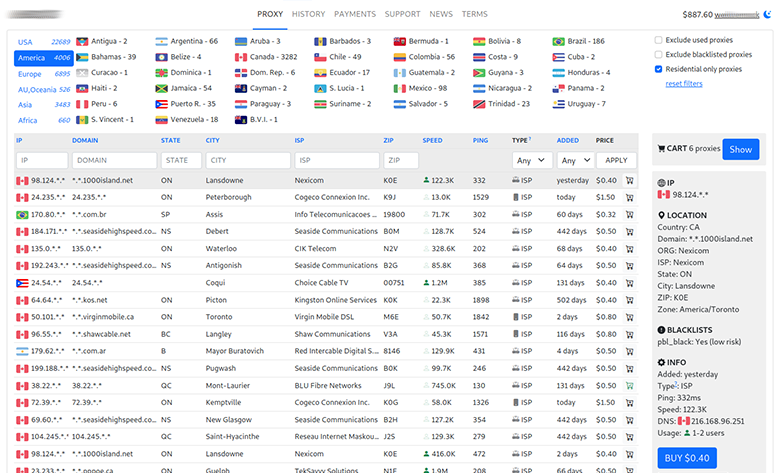
Sign in to your NSOCKS proxy account
This page serves as the nsocks.net signin portal. Users can log in to access their secure profiles and manage their proxy settings and modify their dashboard configuration.
Fast and secure login at NSOCKS
The NSOCKS net login process enables users to access their accounts through an instant and efficient procedure. You need to enter your email address and login details in order to access your account dashboard which will become available to you within two seconds. The system safeguards your user credentials by using encrypted connections that protect your data during all active user sessions. SOCKS5 protocols deliver high security for user authentication which ensures complete protection of personal data throughout the entire authentication process.
Forgot your credentials? Here's how to restore
Password recovery is effortless. Hit "Forgot," grab the restore link from your inbox, and set a fresh strong passphrase. The account verification process enables NSOCKS account restoration while maintaining your current security access.
Benefits of logging into your profile
Completing your proxy login grants you:
- Grab residential, mobile, ISP, UDP, and SOCKS5 proxies
- Handle IP addresses and authentication data
- Track connections via session management features
- Adjust plans and renewal configurations
Tips for keeping your profile secure
Keep passphrases private, activate two-factor authentication, sign out on shared machines, and audit active sessions periodically. Such routines maintain solid proxy account security.
[Sign In] | First time here? [Create Profile]
Use of site specifies that any proxy use is in compliance with US law and the terms and conditions of service.
SSL encryption Protected entry Round-the-clock access
We rely on a guarded connection and never hand your data to outside parties.
Use of site specifies that any proxy use is in compliance with US law and the terms and conditions of service.
- 🔒 SSL encryption
- ✅ Protected entry
- 💡 Round-the-clock access
Frequently asked questions
Is my proxy login entry protected?
Absolutely. Encrypted protocols and layered authentication guard every session.
Can I sign in from several devices?
Yes. Track all active logins straight from your dashboard.
How do I restore a lost passphrase?
Hit "Forgot" and follow the emailed steps.
Must I register to purchase proxies?
Yes. Sign in or register beforehand.
What if I spot unusual activity?
Update your credentials and reach support without delay.